Original — MP4/Opus
The crispest version, kept exactly as it is on Suno. For anyone who wants the highest quality.
★ Highest qualityPaste one link — a song, a playlist, a profile or the explore page — the app pulls the whole list for you to tick and downloads it clean. Every track is checked before it's marked done, so every file lands complete and intact.
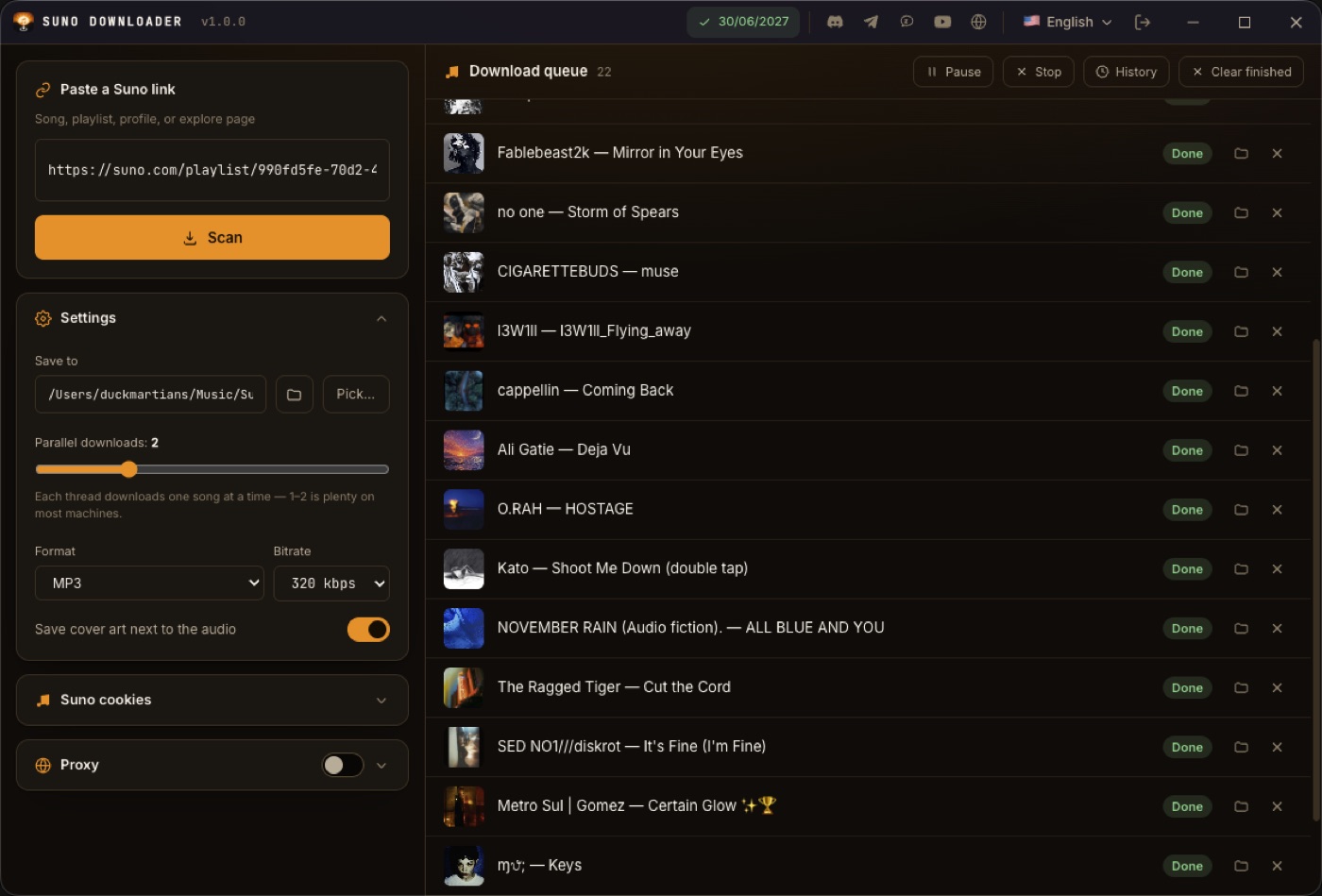
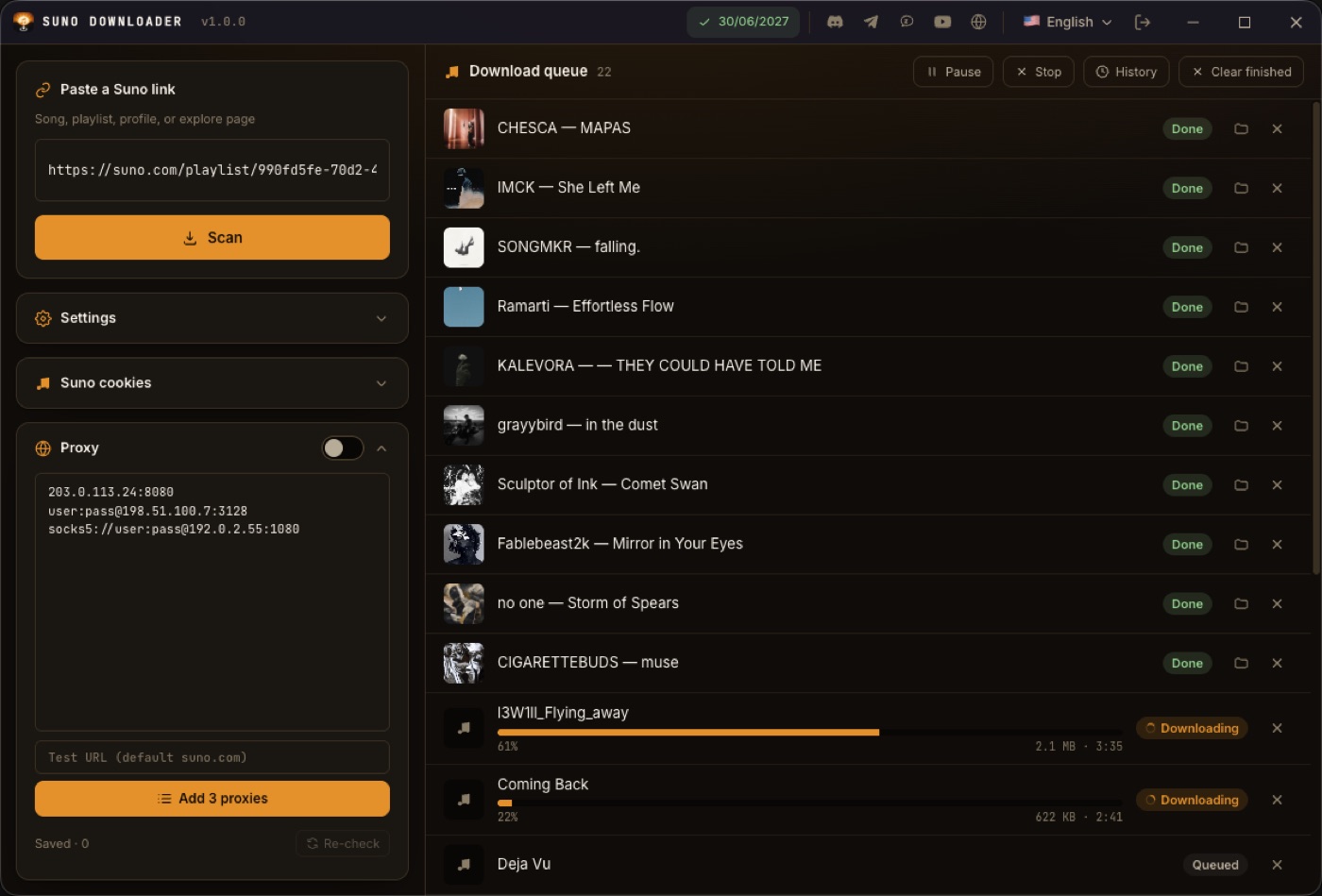
Every screenshot below is from the real app — scanning a Suno playlist and downloading all 22 songs.
Drop any Suno link into the box: a song, a playlist, a profile or the explore page. The app scrolls the page itself to load everything, then extracts the song list.
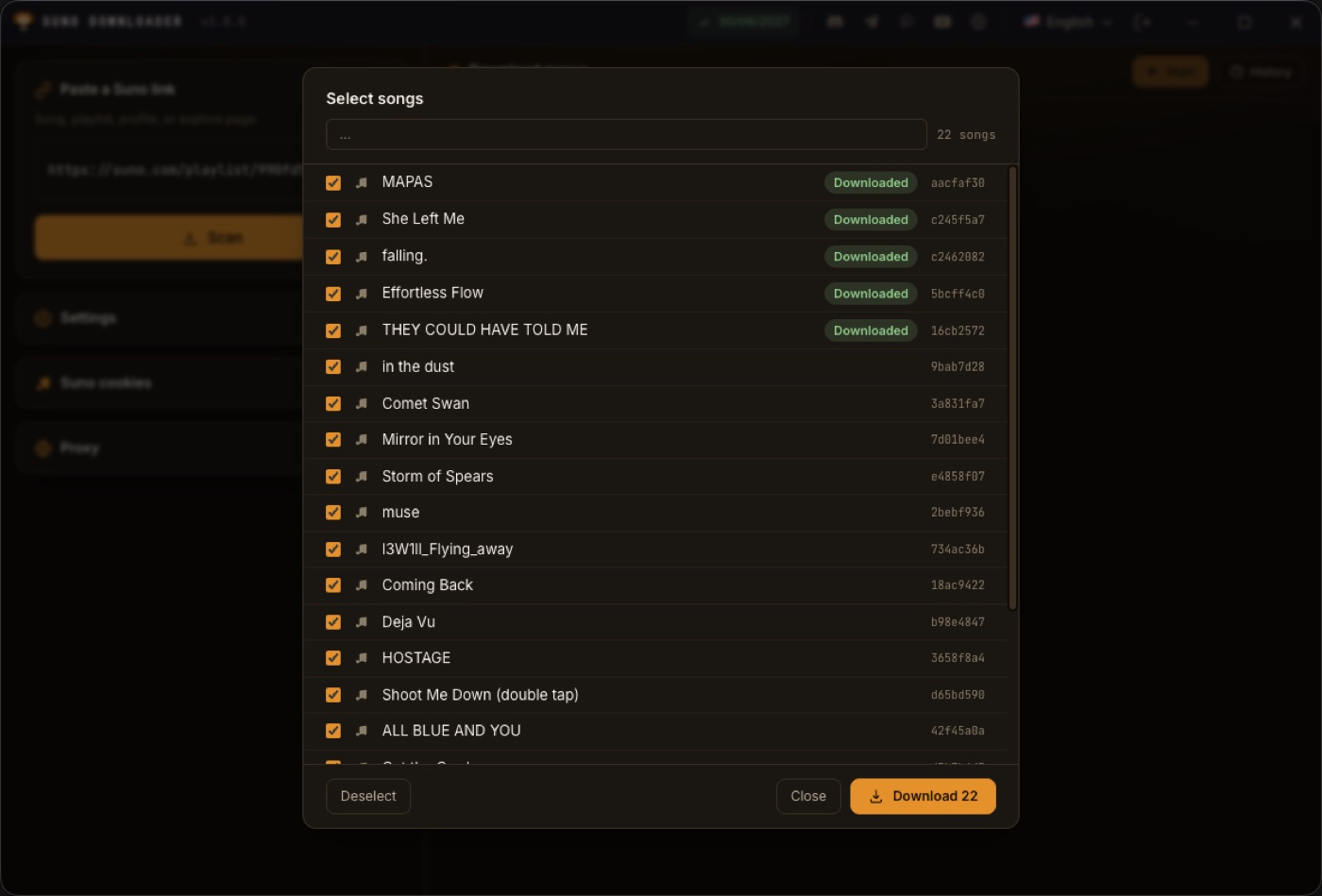
The list opens with everything ticked — filter with the search box, select all or deselect. Anything you already have is tagged so you don't grab it twice.
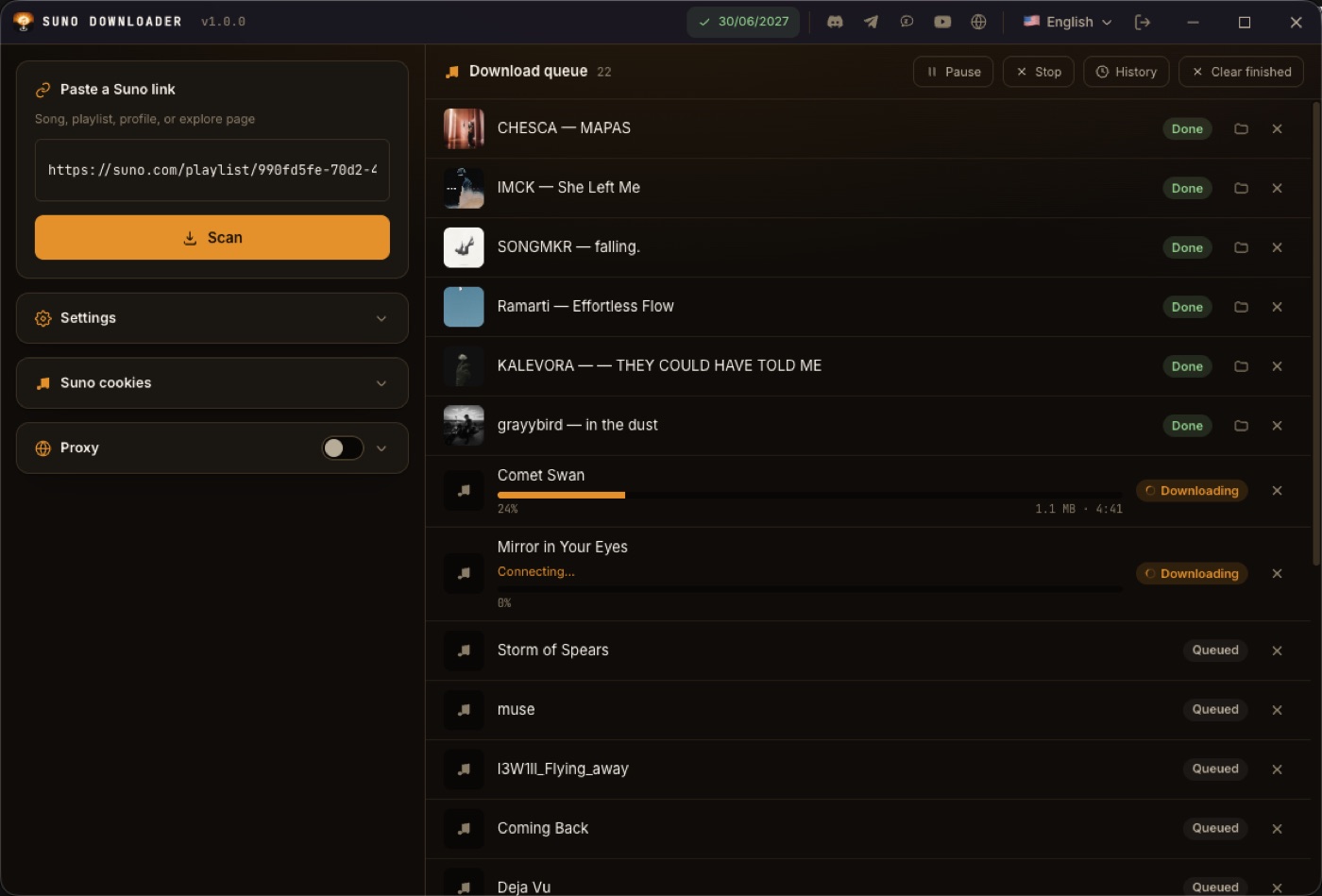
Links go into a queue — Start / Pause / Stop are separate buttons, nothing runs until you press it. When a song is done, hit play to preview it right in the app, or open its folder directly.
One download, the exact format you need. Want it crispest? Take the original. Want it on every device? Export straight to MP3, AAC, FLAC or WAV — nothing else to install.
The crispest version, kept exactly as it is on Suno. For anyone who wants the highest quality.
★ Highest qualityPlays on every device and every app. Up to 320 kbps. The easy default choice.
AAC fits iPhone, iPad and Mac (up to 256 kbps); or Opus — light, and still original quality.
Studio-standard formats — drop them straight into your music or video editor with zero compatibility worries.
Every download is checked before it's marked done: the full track, no gaps, the right length. Anything short is flagged to re-download — you always get the complete song, never a broken file.
Flaky connection or a hiccup mid-download? The app retries on its own until it's done instead of giving up. Leave it running — no babysitting.
Paste your Suno cookies to grab your own private songs; the panel shows whether you're signed in. A proxy pool (HTTP/SOCKS5) with live/dead checks rotates a proxy per song.
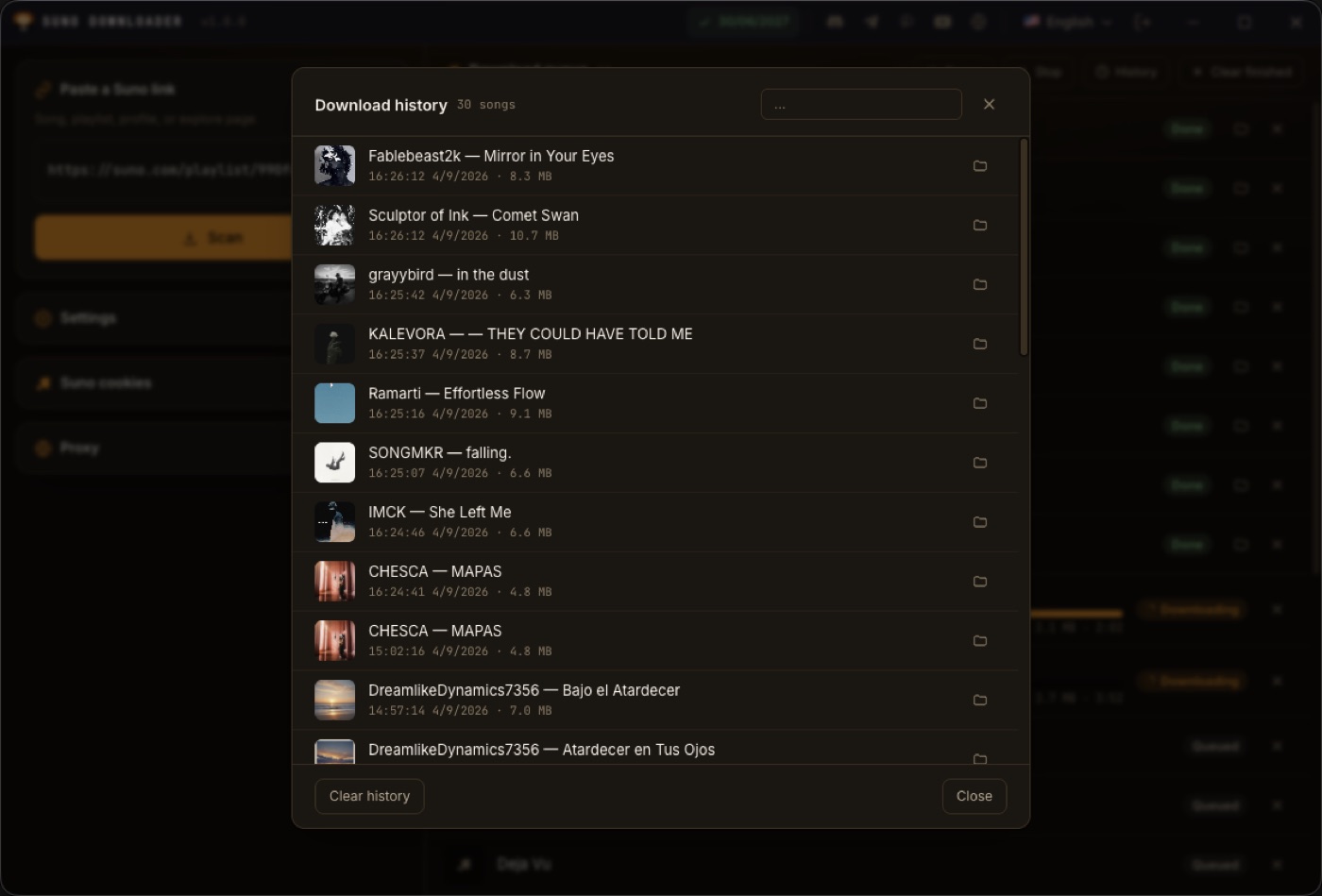
Hit play to preview a track right in the app — only one plays at a time. History logs everything you've downloaded, and drives the “downloaded” tag so you never duplicate.
You need a G-Labs account with an active Suno plan — sign in with Google and buy it right inside the app.