AI image & video
fully automated

Batch processing with Flow, Veo, Grok, Meta AI and ChatGPT GPT Image 2, 4K upscale, automated workflows, and webhook API. Free for personal use.

0 Image Models
0 Video Models
24/7 Auto Update
g-labs — features
$ Flow Image Creator
3 Flow AI models, reference images, 4K upscale, multi-threaded batch processing with hundreds of prompts at once.
$ Flow Video Creator
Veo 3.1 — Text-to-Video, Scene Builder, Compose. Supports 720p, 1080p, 4K across 5 quality models.
$ Grok AI Creator
Grok AI — 4 modes: Text-to-Image, Image-to-Image, Text-to-Video, Image-to-Video. AI images & videos.
$ Meta AI Creator
Meta AI — 4 modes: Text-to-Image, Text-to-Video, Image-to-Image, Image-to-Video. AI images & videos.
$ GPT Image 2 Creator
ChatGPT GPT Image 2 — multi-threaded generation, 7 aspect ratios, 6 reasoning levels, web search, up to 5 reference images.
$ Video Editor
Cut, merge, arrange video clips on a visual timeline. Export polished videos with FFmpeg.
$ Image Upscaler
Batch-upscale images locally on your machine (offline) with 7 Real-ESRGAN models — no account, no credits.
$ Workflow Editor
Visual node-based editor — connect processing steps into fully automated pipelines.
$ Webhook API
Local REST API server for n8n, Make.com, Zapier, Python. Fully automate external workflows.
$ _
Multi-Account Auto Captcha Multi-Thread 4K Upscale Auto Retry Multi-Language Video Editor

17 AI Models & Modes

Choose the model that fits your creative needs

FLOW ⭐ 🍌 Nano Banana 2
FLOW ⭐ 🍌 Nano Banana Pro
FLOW 🍌 Nano Banana 2 Lite
GROK 🖼️ T2I — Text to Image
GROK 🎨 I2I — Image to Image
META AI 🖼️ T2I — Text to Image
META AI 🎨 I2I — Image to Image
CHATGPT ⭐ 🧠 GPT Image 2
OMNI ✨ Omni Flash
VEO 3.1 ⚡ Fast
VEO 3.1 💨 Lite
VEO 3.1 👑 Quality
VEO 3.1 🎯 Lite Relaxed [Lower Priority]
GROK 🎬 T2V — Text to Video
GROK 📽️ I2V — Image to Video
META AI 🎬 T2V — Text to Video
META AI 📽️ I2V — Image to Video

See it for yourself

Live screenshots of the running app — not mockups.

01

Queue your prompts, run the batch

Paste a whole list of prompts into the input box — every line becomes <b>one task row</b> in the table on the right, with its own reference image, result and progress. Pick the model, aspect ratio and how many threads run in parallel, then hit run.
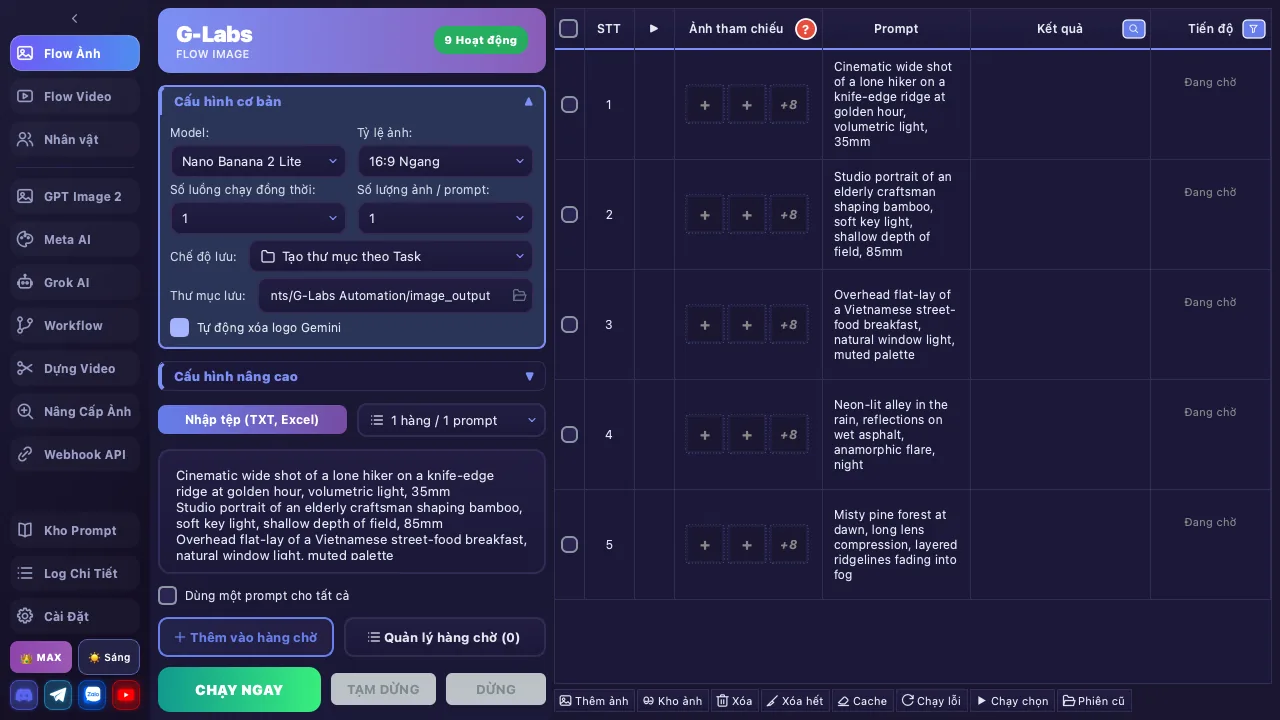
Màn hình Flow Ảnh: danh sách prompt bên trái, bảng tác vụ hàng loạt bên phải
02

Video from a prompt, or from first and last frames

The same batch mechanics for video. Each row takes its own <b>start frame</b> and <b>end frame</b>, with Veo 3.1 (Fast / Lite / Quality), Grok and Meta AI. The delay between threads is adjustable so you don't get throttled.
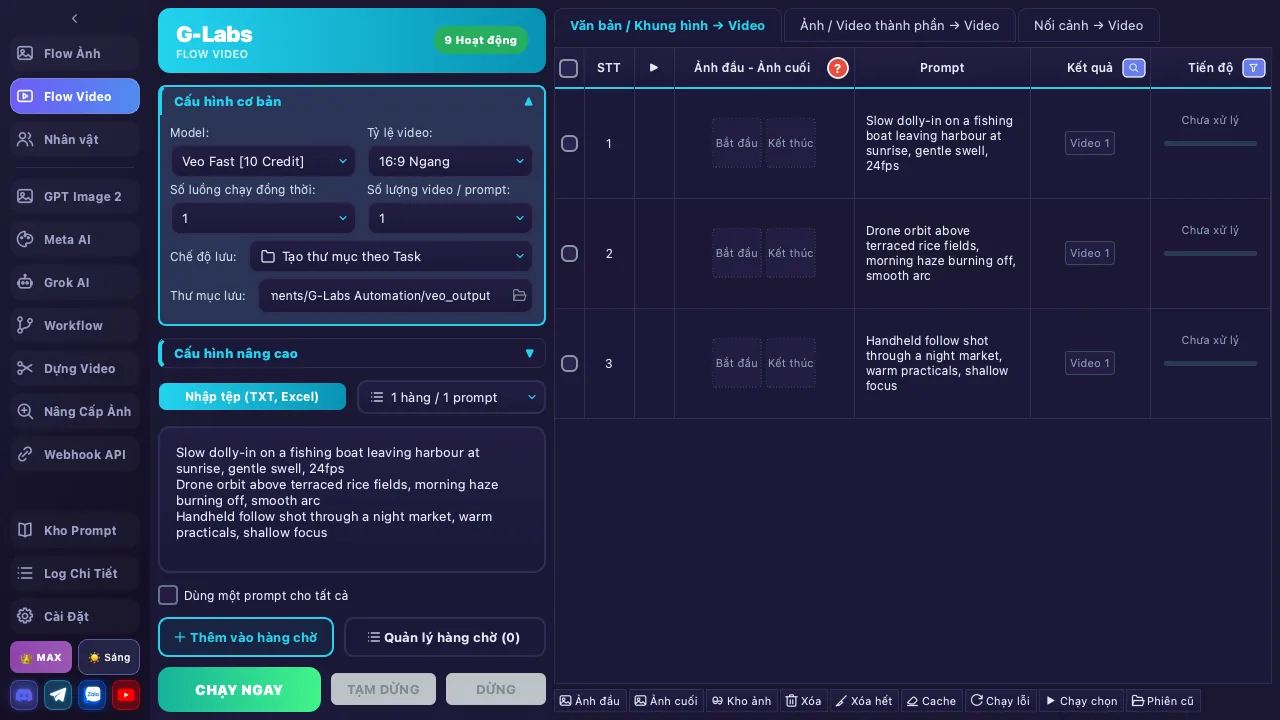
Màn hình Flow Video: cấu hình model Veo và bảng tác vụ có ảnh đầu, ảnh cuối
03

Wire the steps into one Flow

Drag nodes to chain image → video → editing into <b>one automated run</b>. Save the Flow, reopen it later, or lock a node's result so only the part you're fixing runs again.
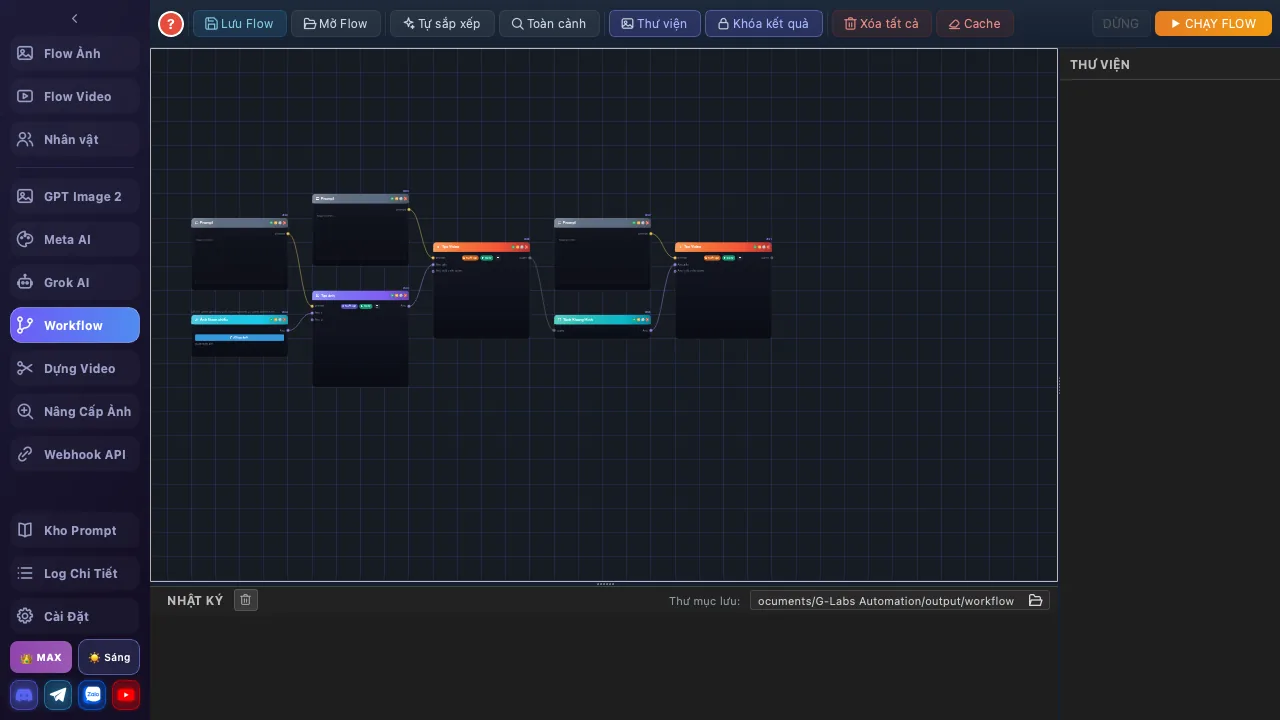
Màn hình Workflow: canvas node nối các bước tạo ảnh và video
04

A prompt hub of 4,000+ entries

A prompt library with real sample images, searchable by title or body text. Hit <b>Copy</b> and the prompt lands straight in the input box — no starting from a blank page every time.
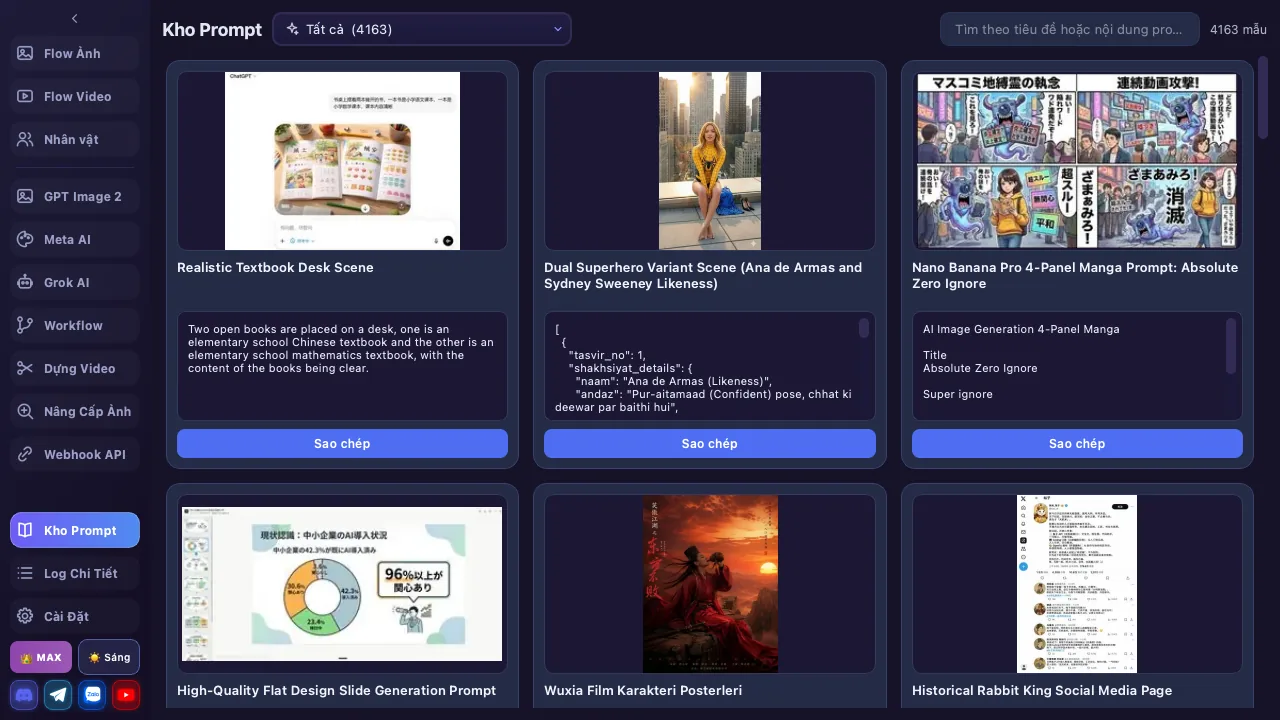
Màn hình Kho Prompt: lưới thẻ prompt kèm ảnh minh hoạ và nút sao chép
05

Characters that stay the same throughout

Save a character with a reference image, physical description and voice, then call it in a prompt with <code>@name</code>. Works in Flow Image and Flow Video so faces don't drift between scenes.
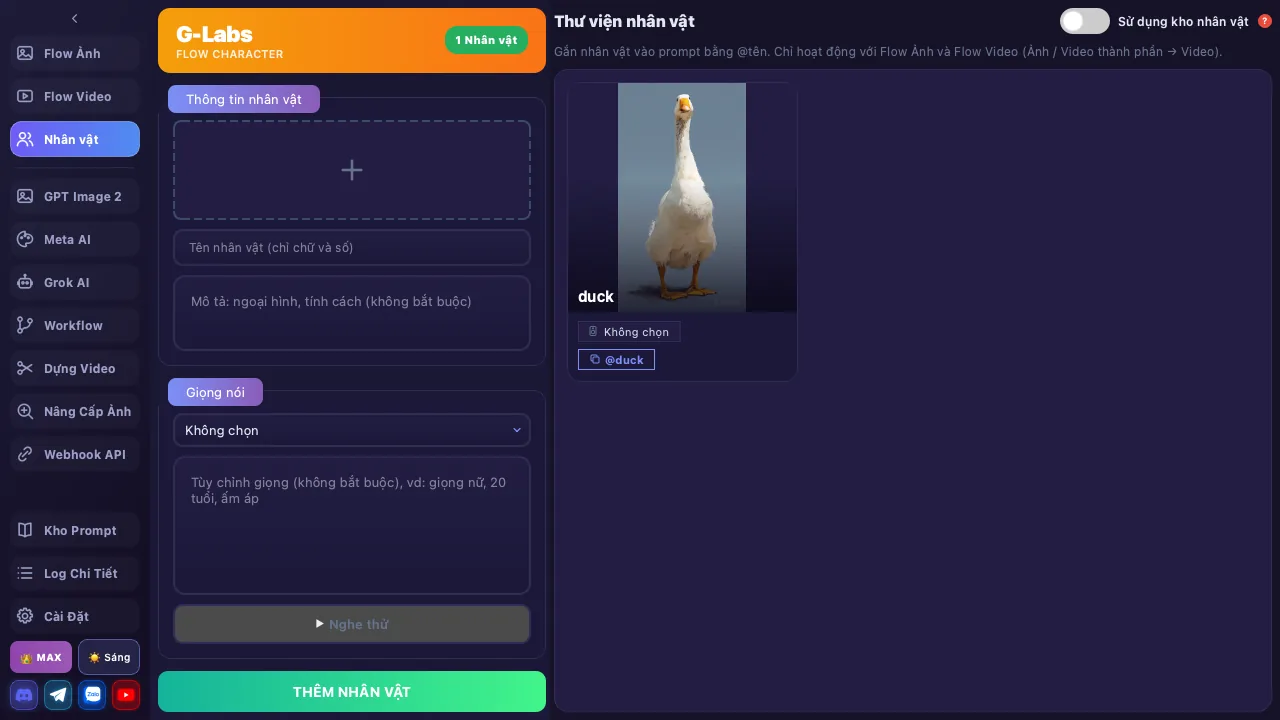
Màn hình Thư viện nhân vật: thông tin nhân vật và ảnh tham chiếu
06

Edit the video inside the app

A multi-track timeline for <b>video, SRT subtitles and audio</b>. Split, cut, join, extract frames, build a slideshow matched to subtitles — no separate editor needed.
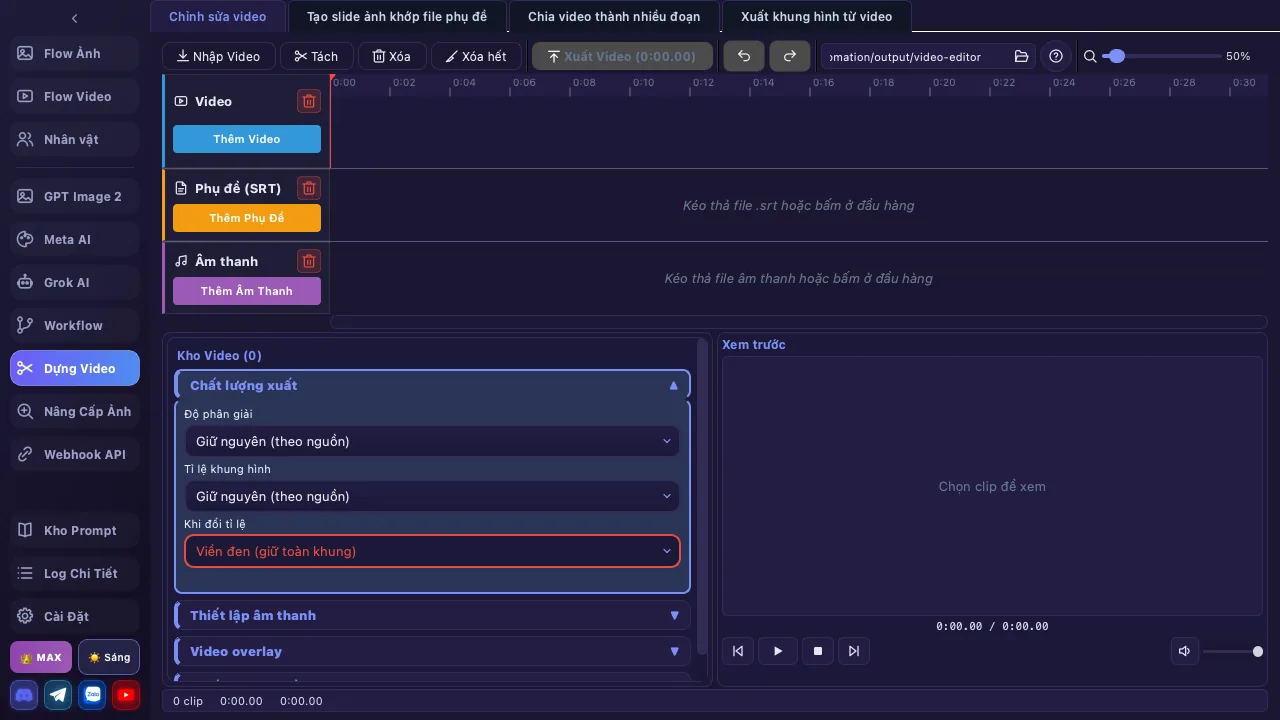
Màn hình Dựng Video: timeline nhiều lớp với video, phụ đề và âm thanh
07

A webhook API for automation

Start a local REST server so n8n, Make, Zapier or a Python script can call in for images. API key, a five-step guide and a <b>model table with supported aspect ratios</b> are built in.
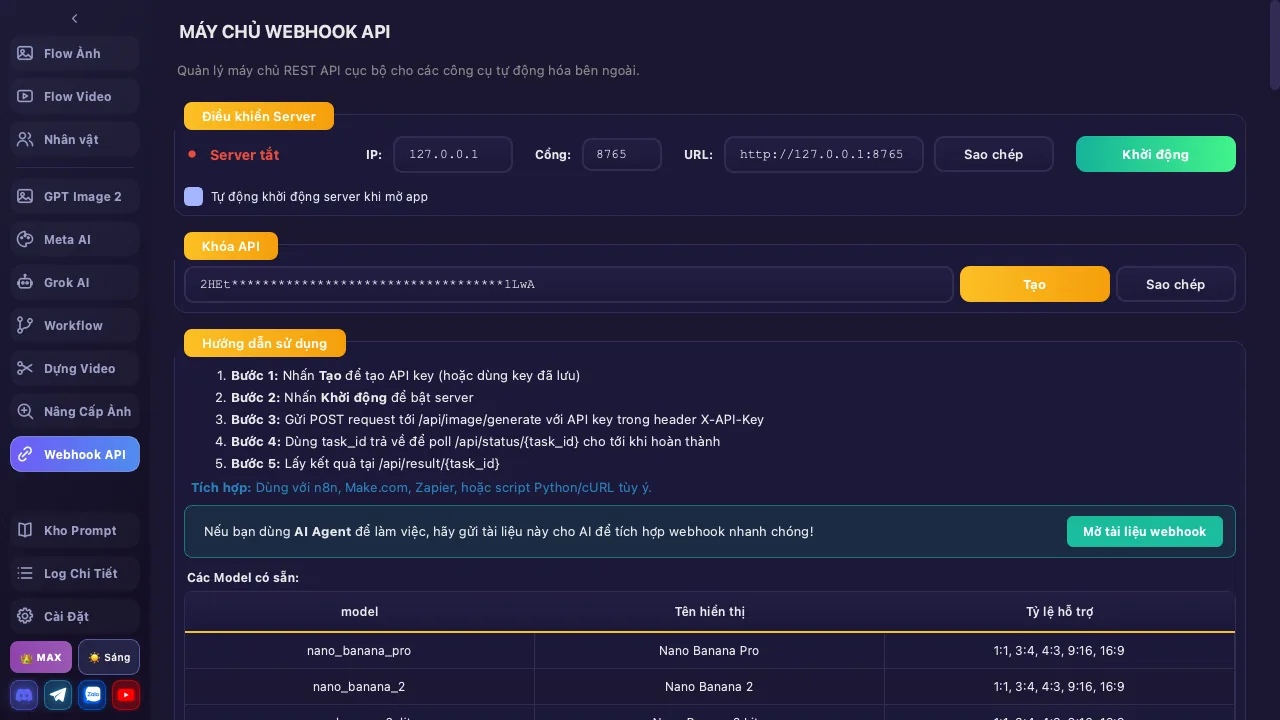
Màn hình Webhook API: điều khiển server, khoá API và bảng model hỗ trợ

Batch creation flow

From prompt to finished image / video

  1. 📝 01 Batch prompt input
  2. 🤖 02 Pick an AI model
  3. 🎨 03 Multi-thread processing
    (auto captcha)
  4. 🔍 04 Upscale 2K / 4K
    (optional)
  5. 💾 05 Batch export