AI voice cloning
running fully on your machine

Four modes in one app: clone a voice from a 5–10 second sample, Voice Design (TTS) by attributes, Multi-Voice Dialogue for podcasts and audio drama, and timestamped Speech-to-Text. 600+ languages, fully offline.

0 Languages
0 Audio tabs
100% Offline
voice-studio — features
$ 🔊 Voice Cloning
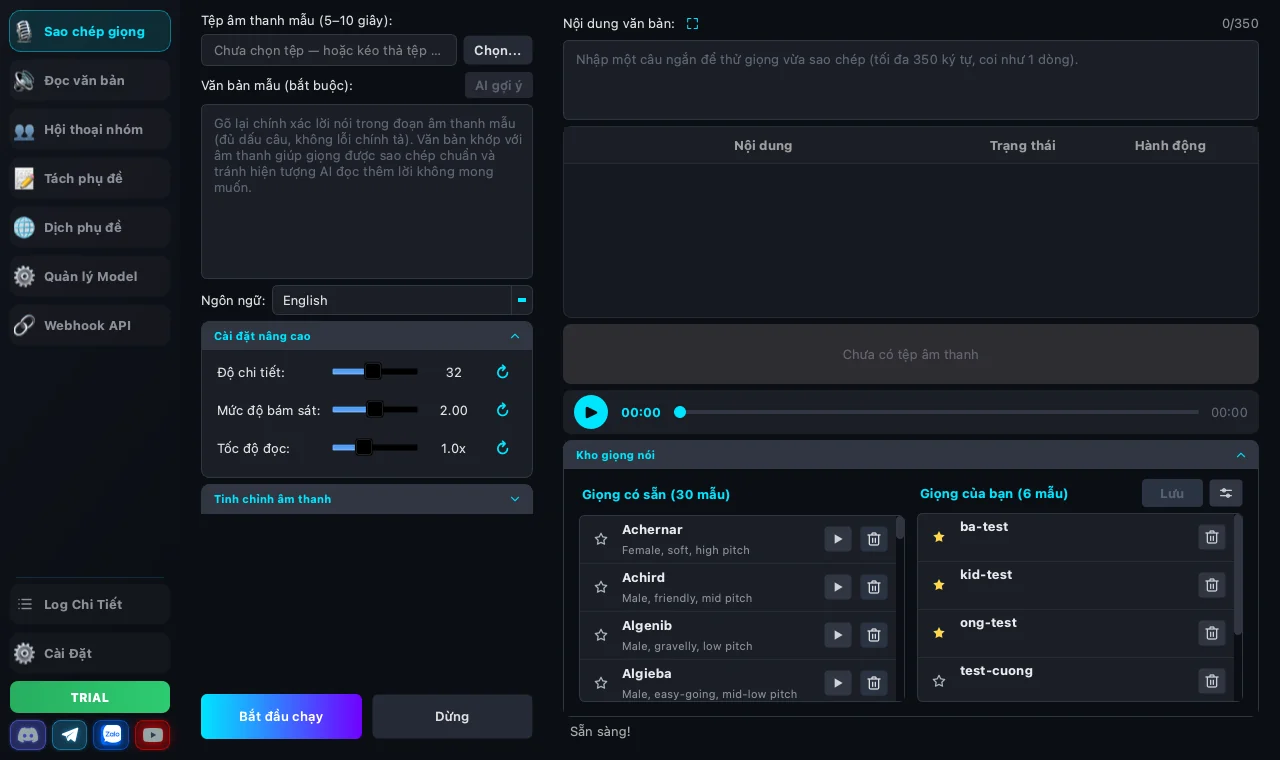
Clone a voice from a 5–10 second audio sample. Sample text is required (or hit ✨ AI suggest for Whisper to fill it in) — a matching transcript is what keeps the clone clean and avoids hallucinations.
$ 🎛️ Voice Design (TTS)
Create a new voice by attributes: Gender, Age, Pitch, Style, Accent — no reference audio needed. Or pick a saved voice from the Voice Library to batch-generate immediately.
$ 💬 Multi-Voice Dialogue
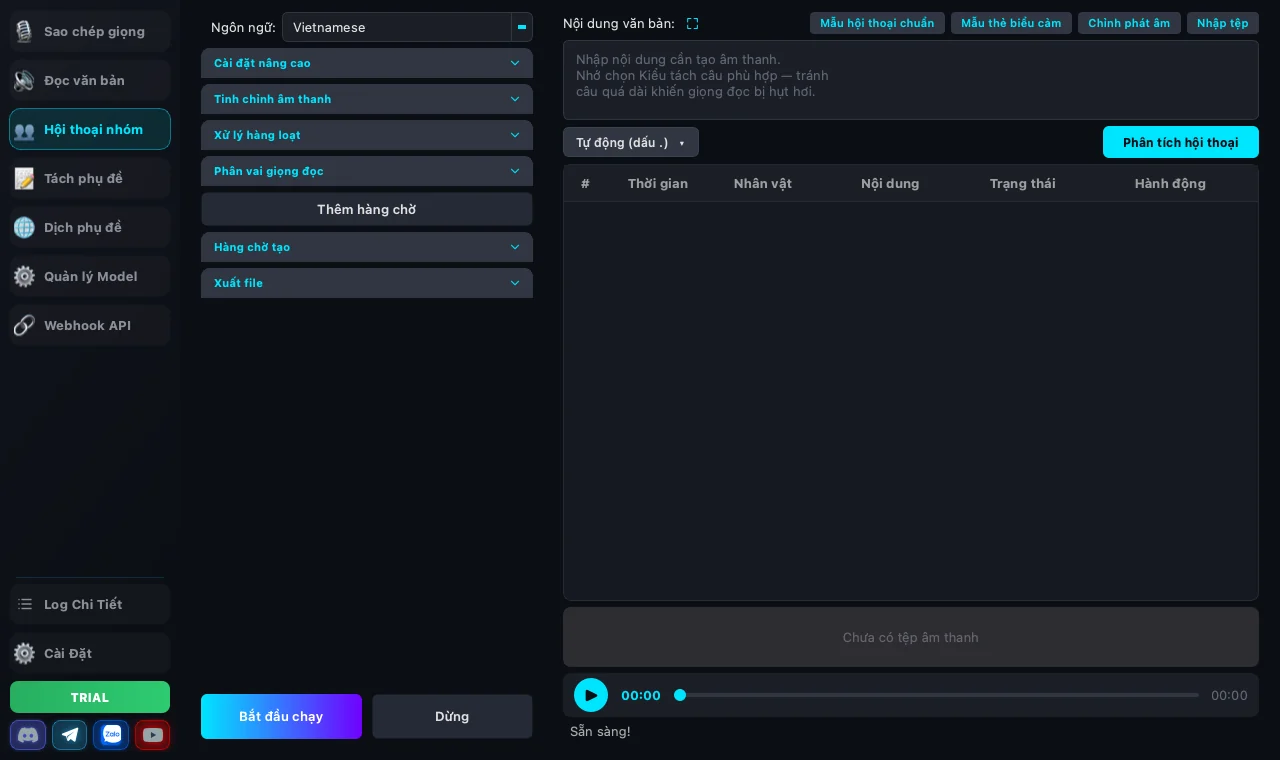
Write multi-character scripts in <code><Name>: line</code> syntax and assign a library voice to each character — perfect for podcasts, audio drama, interview-style videos. A <b>📋 Sample dialogue</b> button shows a working example.
$ 📝 Speech-to-Text
Transcribe speech from audio/video (MP3, WAV, M4A, FLAC, MP4, MOV…). Auto-segments by speech, exports plain <b>.txt</b> or timestamped <b>.srt</b> subtitles.
$ 🌐 Subtitle translation with an LLM
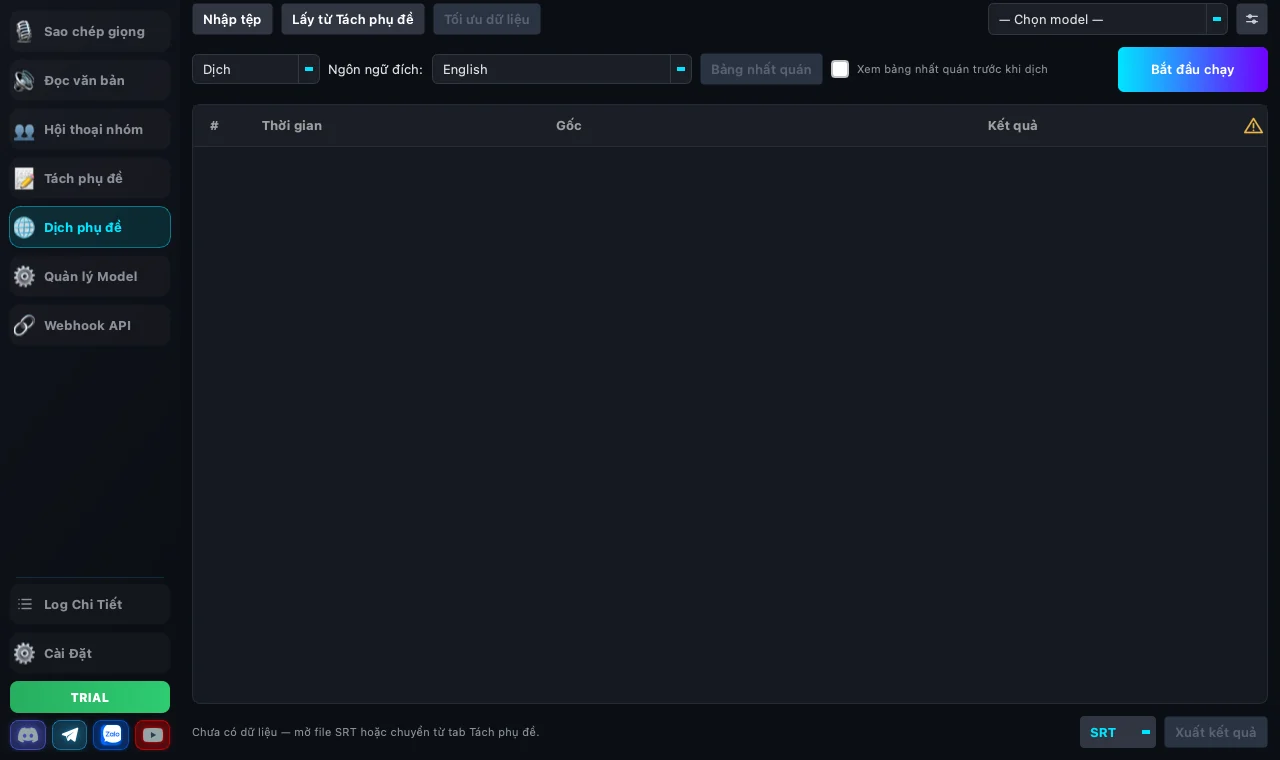
Translate <code>.srt</code>, <code>.vtt</code>, <code>.ass</code>, <code>.sbv</code> without <b>breaking timing</b> — line count and timecodes stay exactly as they were, the AI only changes the words. The app reads the whole file first to lock a <b>consistency table</b> of register, terminology and forms of address.
$ 🗂 Voice Library + 30 factory voices
Ships with 30 ready-made voices (male/female, varied tones). Save your own with a name + description, click <b>⭐</b> to pin favorites to the top. Backup / restore as portable .vcp files to share across machines.
$ 🔤 Personal phonetic dictionary
Encounter special characters like <code>100%</code>, <code>25°C</code>, <code>m²</code>, brand names? Type the pronunciation <b>once</b> — the app remembers it per output language and applies it automatically next time. No more editing your text by hand.
$ 🎚 Speed slider + SRT export
The player has a 0.5x → 2x speed dropdown; the exported file keeps that exact speed (pitch preserved). The merged-file mode auto-drops a matching <b>.srt</b> next to the audio — ready to drop into a video.
$ ⚙️ Advanced settings
Fine-tune <b>Steps</b>, <b>Guidance</b>, <b>Speed</b>, and <b>Gap</b> between sentences. Set <b>Threads</b> (parallel sentences) in the Batch processing panel.
$ 💾 Export audio
Two export modes: <b>Merge into 1 file</b> (with auto <b>.srt</b>) or <b>One file per sentence</b>. Each row has a <b>⬇</b> button to download it individually. Supports WAV and MP3.
$ 🧠 Model Manager + LLM
One place for the speech model, the recognition model and the LLM. Connect <b>9Router</b>, <b>Claude CLI</b>, <b>Antigravity</b> or <b>Codex</b> — use the CLI plan you already pay for, no separate API key. Every provider has its own status line and a <b>Guide</b> button with the install command ready to copy.
$ 🔌 Webhook API
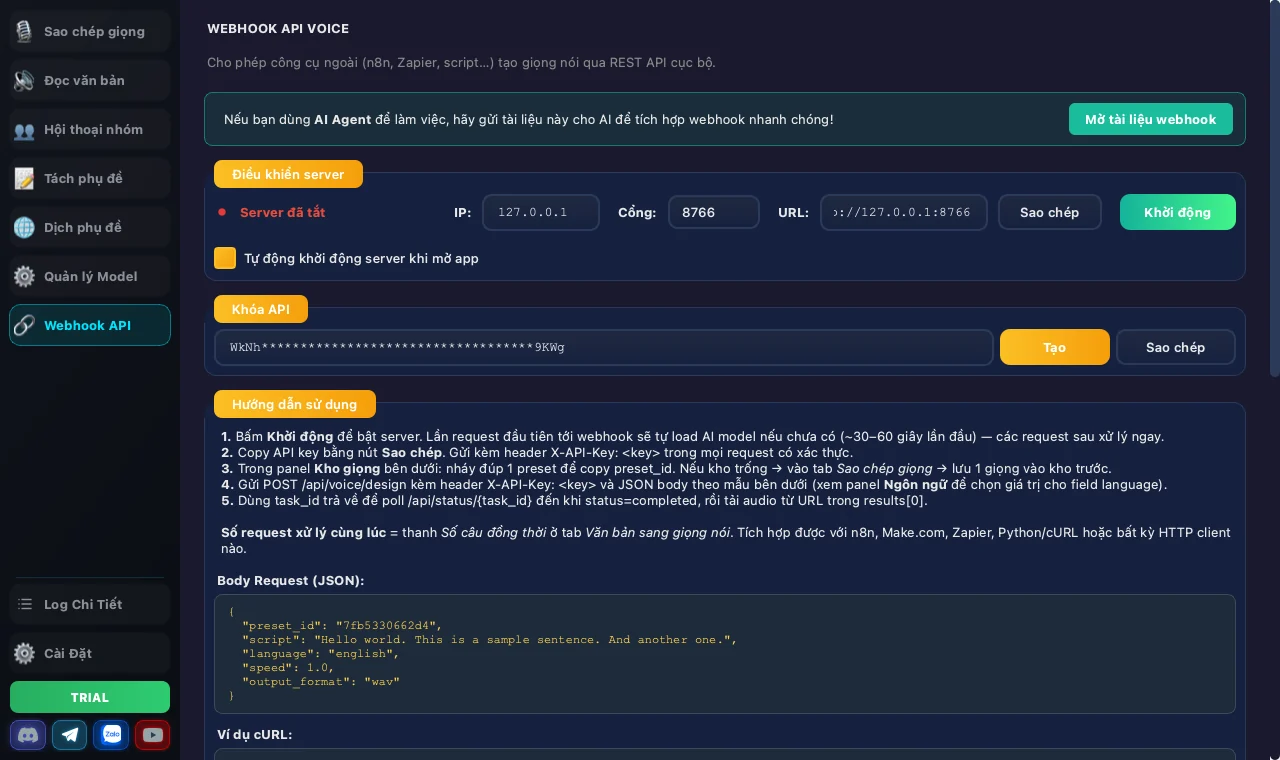
Start a local HTTP server so other tools can call in for audio: <b>n8n</b>, <b>Make</b>, Zapier, a Python script — or <b>G-Labs Story Machine</b>. API key, sample JSON body and a cURL example are built right into the app.
$ 🛡 Auto-fallback to CPU
Detects whether your GPU can actually run the model. If not (e.g. GTX 10-series), the app silently falls back to multi-core CPU and tells you clearly — no cryptic CUDA error message.
_
600+ languages 100% offline NVIDIA GPU / Apple Silicon Multi-core CPU 💬 Multi-voice dialogue ⭐ 30 factory voices 🔤 Phonetic dictionary 🎚 Adjustable speed ✨ AI transcript suggest ⬇ Per-row download Auto SRT export 🌐 9-language UI 🌐 LLM subtitle translation 🔌 Webhook API

7 main screens in the app

Same structure as the Voice Studio interface

01 🔊

Voice Cloning

Clone a voice from a 5–10s sample.

02 🎛️

Voice Design (TTS)

Create a new voice by attributes — no sample needed.

03 💬

Multi-Voice Dialogue

Multiple characters, one voice each. Podcasts, audio drama.

04 📝

Speech-to-Text

Transcribe speech, export .txt or .srt.

05 🌐

Translate

Translate .srt with an LLM — timing and line count stay locked.

06 ⚙️

Model Manager

Download TTS/ASR models, pick an LLM, check your hardware.

07 🔌

Webhook API

Run a local server so n8n, Make or Story Machine can call in.

🗂

Voice Library — 30 factory voices, shared across all 3 audio tabs

Ships with <b>30 factory voices</b> (male/female, varied tones). Save your own, click <b>⭐</b> to pin favorites. Available in Voice Cloning, Voice Design and Multi-Voice Dialogue. Backup / restore via portable <code>.vcp</code> files to share across machines.

See it for yourself

Live screenshots of the running app — not mockups.

01

Voice Clone

The 5–10 second sample sits on the left, the text to read on the right. The <b>Voice Library</b> underneath holds 30 built-in voices plus the ones you save.
Màn hình Sao chép giọng nói với kho giọng và cài đặt nâng cao
02

Group Dialogue

Write the script as <code><Name>: line</code>, cast a separate voice for every character, then push the whole script into the <b>render queue</b>.
Màn hình Hội thoại nhóm với phân vai giọng đọc và hàng chờ tạo
03

Subtitle translation with an LLM

Line count and timecodes are <b>immutable</b> — the AI may only change the words. A consistency table locks register, terminology and forms of address across the whole file.
Màn hình Dịch phụ đề với bảng nhất quán và bảng kết quả
04

Webhook API

Start the local server and let n8n, Make, a Python script — or <b>G-Labs Story Machine</b> — call in for audio. API key, sample body and a cURL example are right there.
Màn hình Webhook API với điều khiển server, khoá API và hướng dẫn

Voice-generation flow

From sample audio to WAV / MP3

  1. 🎧 01 Pick sample audio
  2. 02 Enter sample transcript<br><small>(or ✨ AI suggest)</small>
  3. 📋 03 Add script to the table
  4. 04 Start generating
  5. 💾 05 Export audio<br><small>(or ⬇ per row)</small>